A content management system, or CMS, is the software behind most modern websites. It lets you create, edit and publish content without writing code. If you are deciding how to build a website, or wondering why you are paying a developer for every small change, this guide covers the seven benefits of using a CMS and what to watch for.
TL;DR: Quick Summary
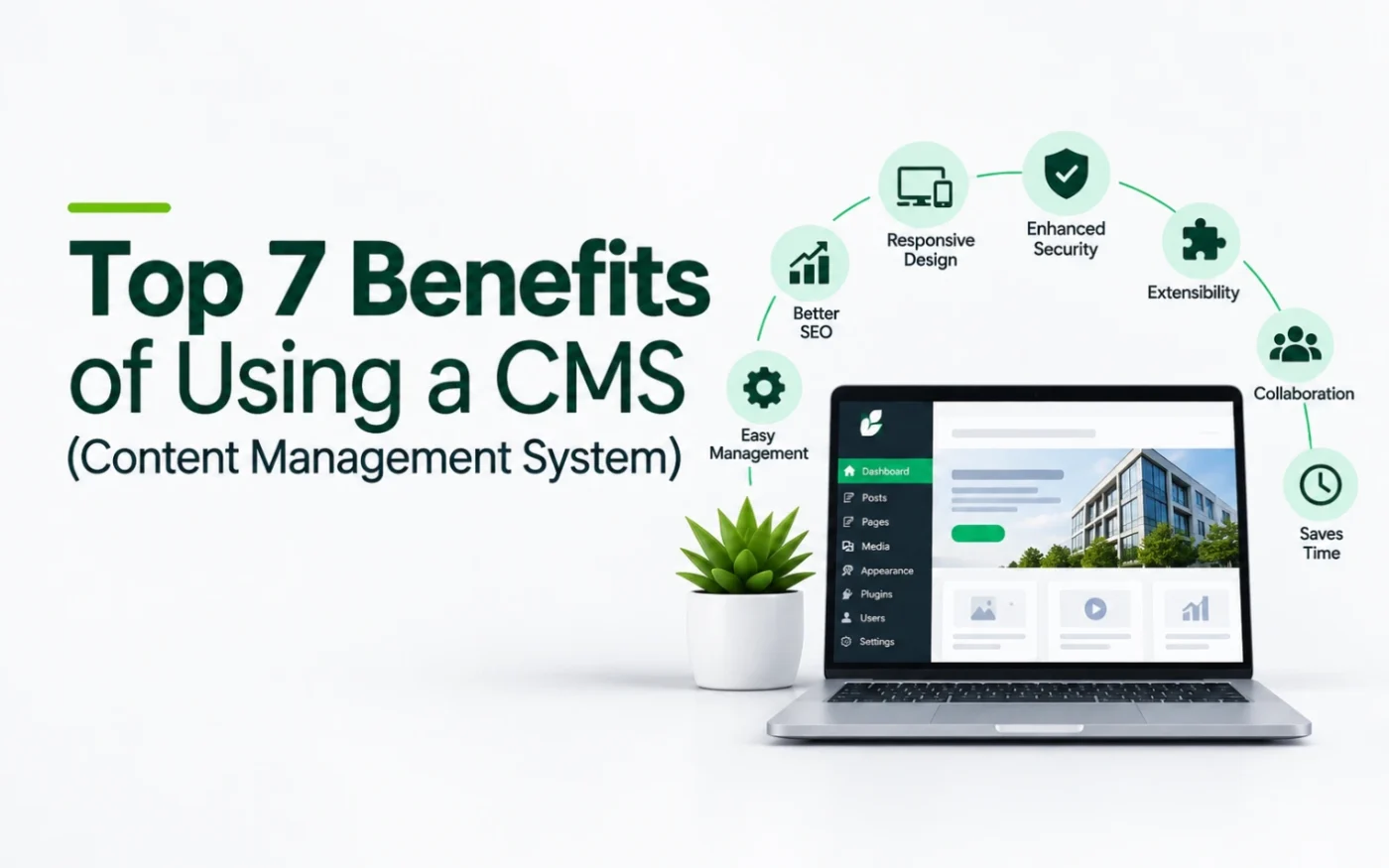
The top seven benefits of a CMS are: 1. easy updates without code, 2. team roles and workflows, 3. consistent design, 4. SEO tools, 5. room to grow, 6. integrations and extra features, and 7. lower long-term cost. A CMS needs upkeep, and the platform you choose decides how much control you keep. Studio6 builds CMS websites on WordPress.
What Is a CMS?
A CMS separates your content from the code that displays it. You write and manage pages, images and posts in a simple dashboard, and the system turns them into a finished website. Popular examples are WordPress, Webflow, Joomla and Drupal, and platforms such as Shopify and Wix include content management too.
WordPress is the most widely used. Per W3Techs, as reported by Barn2, it runs about 42.6% of all websites and 59.8% of sites with a known CMS.
1. Edit Your Website Without Code
The biggest benefit is independence. With a CMS you can change a price, add a team member, publish a news item or fix a typo yourself, in minutes. Without one, every edit goes through a developer, which costs money and waits in a queue. A site that is easy to update is a site that stays accurate, and an accurate site earns trust.
2. Team Roles and Workflows
A CMS lets several people work on the site safely. You can give a writer permission to draft posts, an editor permission to publish and an administrator control of settings. Most systems also let you schedule posts and save drafts, so content goes live at the right time and nobody breaks the site by accident.
3. Consistent Design
Content lives in templates, so every new page and post inherits the same fonts, colours, spacing and layout. Your brand stays consistent as the site grows, even when different people add content. A well-built template also keeps pages fast and mobile friendly, because the design is built once and reused.
4. SEO Tools
A CMS does not rank your site by itself, but it makes good SEO practical. You can edit page titles, meta descriptions, headings, image alt text and URLs. Plugins and settings add XML sitemaps, redirects and schema markup. Publishing new pages regularly, which a CMS makes easy, is also how most sites build search visibility over time.
5. Room to Grow
A CMS site can grow with your business. You can start with five pages and add a blog, a portfolio, a store, bookings or a members area later, without rebuilding from scratch. Starting on a flexible platform avoids the expensive rebuild that follows when a business outgrows a rigid website.
6. Integrations and Extra Features
Modern CMS platforms connect to the tools you already use: email marketing, analytics, forms, CRMs, payment services and booking tools. On WordPress, plugins add features without custom development. Choose carefully, because every plugin adds something to maintain, and fewer, well-supported plugins are better than many.
7. Lower Long-Term Cost
A CMS usually costs more to set up than a one-off static site, but it saves money over time. You pay for a developer only when you need real new features, not for every text change. You also keep your content in one organised place, so a redesign means changing the template instead of rewriting every page. See our guide to WordPress vs Webflow for how the costs compare.
What to Watch For
- Maintenance. Self-hosted systems such as WordPress need updates, backups and security checks. Hosted platforms handle more but give you less control.
- Ownership and lock-in. Check whether you can host the site elsewhere and take all your content and features with you. This is a major difference between platforms.
- Too many plugins. Each one can slow the site or add security risk.
- A poor setup. A CMS is only as good as its build. A messy template makes editing confusing.
Hosting also matters. See our guides to web hosting companies in Kenya and where to buy a domain name in Kenya.
How to Choose a CMS
- List what the site must do now and in two years: a blog, a store, bookings, multiple languages.
- Decide who will edit it and how technical they are.
- Check ownership. Can you choose your host and move the site later?
- Compare the real cost of hosting, plugins and support, not just the headline price.
- Ask who will maintain it after launch, and what that costs.
For most Kenyan businesses we recommend WordPress. We explain why, and when Webflow is the better fit, in WordPress vs Webflow.
How Studio6 Can Help
Studio6 designs and builds WordPress websites that you can edit yourself. We design your brand (logo, typography and colour palette), design and develop the site, set up your business email and social media accounts, and support the site after launch. We register your domain for free, in your name. Websites start at KES 100,000, hosting from KES 5,000 a year and website management from KES 6,500 a month, including minor edits.
Build an estimate with our website cost estimator.
Email us at hello@bystudio6.com, and tell us what you need your website to do.
Frequently Asked Questions
What is a CMS?
A content management system (CMS) is software that lets you create, edit and publish website content without writing code. You log in, change text, images and pages, and the system updates the live site.
What are examples of a CMS?
WordPress, Webflow, Joomla and Drupal are common examples. Shopify and Wix also include content management, with a stronger focus on stores and simple builders.
Do I need a CMS for a small business website?
Usually yes. Even a five-page site changes: prices, team members, news, opening hours. A CMS lets you or your team make those changes in minutes instead of paying a developer each time.
Is a CMS secure?
It can be, if it is kept up to date. Self-hosted systems such as WordPress need regular updates, backups and security checks. Hosted platforms handle more of this for you but give you less control.
Is WordPress the best CMS?
It is the most widely used and, in our experience, the best fit for most business sites because you own the site and can host it anywhere. See our comparison of WordPress and Webflow for when another option suits better.
Can a CMS help my SEO?
A CMS does not rank your site by itself, but it makes SEO practical. You can edit page titles, descriptions, headings, image text and URLs, and add tools for sitemaps, redirects and schema.