Most website problems start before any design work begins. A site built without a clear goal, structure or content ends up late, over budget and hard to use. This beginner’s guide walks through the ten decisions to make before you build your first website, in the order to make them.
TL;DR: Quick Summary
Plan your first website in ten steps: 1. set a goal, 2. know your audience and competitors, 3. choose a domain, 4. choose hosting, 5. choose a platform, 6. map and sketch your pages, 7. prepare content and brand, 8. decide features, 9. set a budget and timeline, and 10. plan the launch and upkeep. Studio6 designs and builds first websites for Nairobi businesses.
Step 1: Set a Clear Goal
Start with one question: what should this website do for your business? Pick a main goal, because every later decision depends on it. Common goals:
- Get enquiries from customers who find you online.
- Build credibility so clients, employers and partners take you seriously.
- Sell products through an online store.
- Take bookings for appointments or services.
- Share information through a blog or resource section.
Write your goal as a sentence, such as “Visitors should request a quote.” Then make it measurable, such as “ten quote requests a month by the third month after launch.” A number tells you later whether the site is working. If a page or feature does not support the goal, leave it out for now.
Step 2: Know Your Audience and Your Competitors
Decide who the site is for. List who they are, what they want to know, what worries them and what makes them ready to contact you. Then think about how they will visit. In Kenya most people browse on phones, so design for a small screen first and keep pages light.
Then look at your competitors’ websites. Study direct competitors, similar businesses elsewhere and sites you admire. Note their menus, layouts, images and how much detail they give. Use it to see what customers expect and where you can stand out, not to copy. Finish with one sentence on what makes you different and why that matters to your customer.
Step 3: Choose a Domain Name
Your domain is your address on the web, such as yourbusiness.co.ke. Choose one that is short, easy to spell and easy to say aloud. Avoid hyphens and numbers. Check that the name is free and that matching social media handles are available. Register the domain in your own business’s name, not a developer’s, so you stay the owner. Our guide to where to buy a domain name in Kenya explains where to buy and what renewals cost.
Step 4: Choose Hosting
Hosting is the server that keeps your site online. Look at speed, uptime, support, backups and the renewal price, which is often higher than the first-year price. A small brochure site needs little. A store or a busy site needs more. Compare your options in our guides to Kenyan hosts and international hosts.
Step 5: Choose a Platform
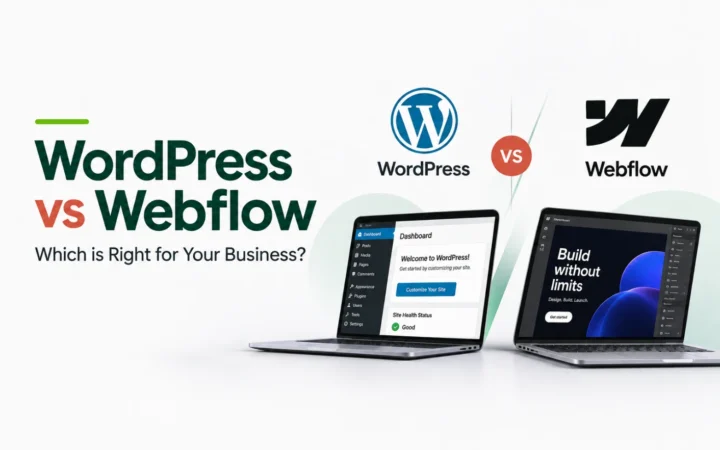
The platform decides how you edit the site, what it can do and how easily you can move later. Ask whether you can edit it yourself, whether you own it, whether you can host it anywhere and whether it can grow into a store or a bigger site. If you plan to use a template, test how it looks on a phone, a tablet and a laptop before you commit, because switching templates later can change your menus and layout. For most Kenyan businesses we recommend WordPress. Read WordPress vs Webflow, and learn why content management systems matter.
Step 6: Map and Sketch Your Pages
Plan the structure before you design it. A simple sitemap keeps the site easy to use and keeps the project in scope. Most small businesses can start with five pages:
| Page | What it does | What to include |
|---|---|---|
| Home | Explains who you are and what to do next | A clear headline, a short summary of services, proof and a call to action |
| About | Builds trust | Your story, your team and what makes you different |
| Services | Shows what you sell | Each service, who it is for and how to start |
| Contact | Turns visitors into enquiries | Phone, email, a form, location and opening hours |
| Proof page | Removes doubt | Projects, testimonials or frequently asked questions |
Add a blog, a store or more service pages later, once the basics work. Also plan a privacy policy page, and check what Kenyan data protection rules mean for any forms or tracking you use.
Keep navigation simple. Use a short menu with clear labels, put your contact details where visitors expect them, and consider site search if you have many pages. Then sketch your key pages on paper or a whiteboard before any design starts. A wireframe is a rough layout of what goes where. It lets you fix the flow cheaply and agree the scope before time and money go into design.
Step 7: Prepare Your Content and Brand
Content is the most common cause of delays. Write your page text, gather clear photos and decide how you want to look before building starts. Your brand should include a logo, colours and typography, so the site and everything else you publish look consistent. If you do not have these yet, plan to create them first. At Studio6 we design the brand and the website together.
- Text: write for your customer, in plain language, with one clear action per page.
- Images: use real, high-quality photos where you can. Stock images are not exclusive, so competitors may use the same ones. Compress them so pages load fast.
- Brand: logo, colour palette and typography, agreed before design.
Step 8: Decide Your Features
List what the site must do, then separate must-haves from nice-to-haves. Common features include a contact form, a blog, bookings, an online store, multiple languages and a member area. Each feature adds cost and time, so start with what supports your goal and add the rest as the business grows. Give every page one clear action for the visitor, such as call, request a quote or book, and make that action easy to find.
Step 9: Set a Budget and Timeline
Costs vary widely, so plan for four parts: the domain, hosting, the build (design, development and content) and upkeep. The table shows Studio6’s own prices as one example. They are not a market average, so compare quotes before you decide.
| Item | Cost | Notes |
|---|---|---|
| Domain | Free when registered by Studio6 | Registered in your business’s name |
| Hosting | From KES 5,000 a year | Set up and managed for you |
| Website | From KES 100,000 | Custom design, mobile layouts and up to 5 pages. Build an estimate with our website cost estimator. |
| Brand foundations | KES 50,000 | Logo, typography and colour palette |
| Website management | From KES 6,500 a month | Renewals, minor edits and server upkeep |
Also budget for the costs people forget: business email addresses, any paid plugins or templates, and stock photos. Some builders show a monthly price but require you to pay for 12 months upfront, and domains and hosting often renew at a higher price than the first year, so read the renewal terms.
A realistic timeline for a small business website is 3 to 8 weeks once the scope is agreed and your content is ready. If you are on a very small budget, see how to launch a website in Kenya for KES 500 yourself.
Step 10: Plan the Launch and Upkeep
A launch is the start of the work, not the end. Before going live, check:
- Every page and link works on a phone and a laptop.
- The contact form reaches you, and you answer it quickly.
- Each page has a clear title and description, images have descriptive alt text, and your privacy policy is live.
- The site looks right on a phone, a tablet and a laptop.
- Your business email works on your domain, with the right DNS records.
- Analytics and Google Search Console are set up.
After launch, plan for renewals, updates, backups and regular new content. Plan what you will publish next too: a few topics your customers search for, written regularly, help the site grow over time. Many owners hand upkeep to a provider. Studio6 website management starts at KES 6,500 a month and includes minor edits.
Common Beginner Mistakes
- No clear goal. A site without a purpose does not convert visitors.
- Too many pages at the start. Launch the essentials, then grow.
- Content last. Late text and photos delay the whole project.
- Ignoring mobile. Most visitors will see the site on a phone.
- Someone else owning your domain or hosting. Register both in your business’s name.
- No plan after launch. Sites need updates, and visitors need a reason to return.
If you are thinking of the website as an asset that can grow, read why owning a digital asset is worth it.
How Studio6 Can Help
Studio6 helps first-time website owners plan and build the right site. If you come to us without a logo, we take care of your business: we design your brand (logo, typography and colour palette), design and develop your website, set up your business email and social media accounts, and support the site after launch. We register your domain for free, in your name.
Build an estimate with our website cost estimator, or compare agencies in our guide to the top web designers in Nairobi.
Email us at hello@bystudio6.com, and tell us about your business.
Frequently Asked Questions
How long does it take to plan a website?
Plan for one to three weeks to decide your goals, pages, content and budget before design starts. Building usually takes 3 to 8 weeks at Studio6, depending on size and features, and content that arrives late is the most common delay.
What do I need before building my first website?
You need a clear goal, a list of the pages you want, a domain name, a hosting plan, your content (text and images), a rough budget and a way for visitors to contact you.
How many pages does my first website need?
Most small businesses start with five: Home, About, Services, Contact and one page that builds trust, such as projects, testimonials or FAQs. You can add pages later.
Should I build my website myself or hire a professional?
Build it yourself if your budget is very small and you have the time to learn. Hire a professional if the site is how customers judge your business, or if you need a brand, custom design, email setup or ongoing support.
Which platform should I use?
Choose a platform that lets you own your site, host it where you like and grow later. For most Kenyan businesses we recommend WordPress, which is free open-source software.
What mistakes should beginners avoid?
Starting without a goal, choosing a domain that is hard to spell, leaving content until the end, ignoring mobile visitors, and registering the domain or hosting in someone else’s name.